








Row Zero offers a simpler path to self-serve analytics than combining a spreadsheet with add-ins, BI tools, and the supporting security and staffing.
With Row Zero
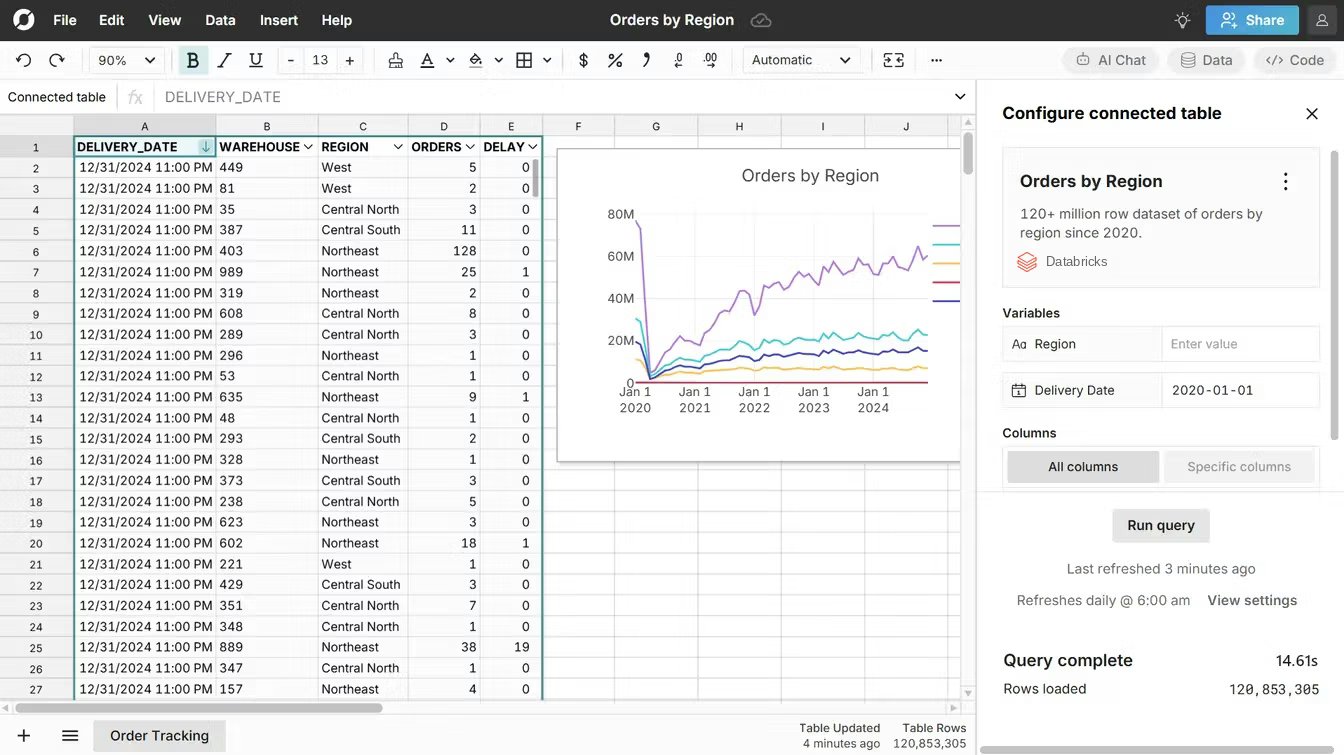
Spreadsheets securely connect directly to your data source via built-in connectors. Anyone can securely self-serve large, production datasets in the comfort of a spreadsheet. There are no middleware BI dashboards, no add-ins, no giant backlog of data requests. Many customers eliminate their BI tools entirely or reduce licenses.
Without Row Zero
Teams use BI tools to stage data for exports to spreadsheets, use add-ins to connect Google Sheets to data sources, and build out complicated governance protocols to try to keep data secure. Data teams are burdened with constant requests to build and update BI dashboards or create data extracts for business and operations teams. The end result is more licenses, busier data teams, and business users who wait on data requests.
Try Row Zero for free
You can try Row Zero for free and see how Row Zero extends Google Sheets and Excel to cloud data. Here are some easy ways to get started:
- Explore our large datasets and sample spreadsheets to test the tool.
- Schedule a live demo to see how Row Zero can solve your Excel and Google Sheets issues.
- If you have a file too big for Google Sheets, open it in Row Zero
- If your Google Sheets file is running slow, open your data in Row Zero to see the difference.
Frequently asked questions
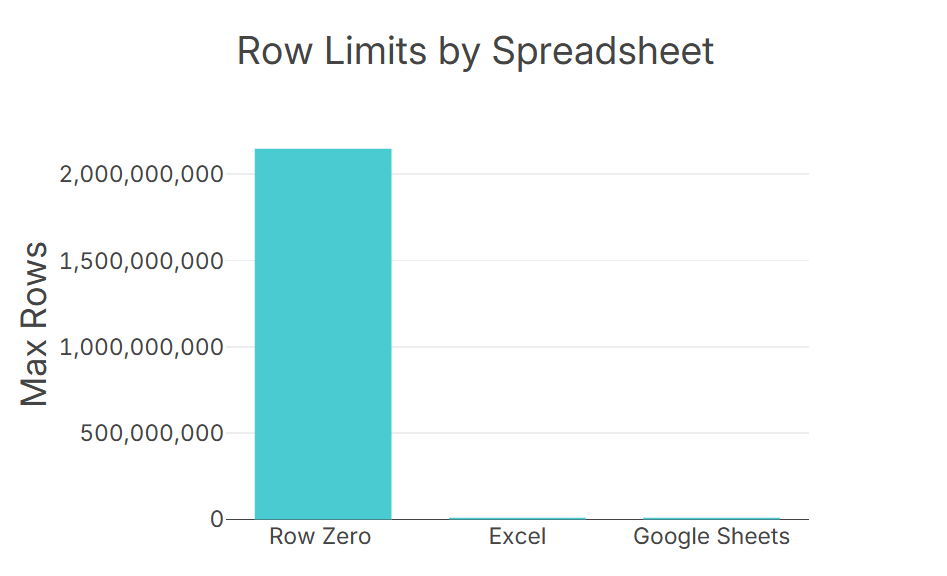
Google Sheets has a data limit of 10 million cells per spreadsheet. In theory, you could have 10 million rows and 1 column, but it practice Google Sheets may crash or slow down once you get above 100,000 rows depending on your dataset and analysis.
Yes, especially when you need to work with big data in a spreadsheet or need advanced spreadsheet security. Enterprises use Row Zero for secure spreadsheet work on big data.
Row Zero is a strong fit for big data, security, and connecting to cloud data. Excel is a strong fit for Microsoft 365 integration. Google Sheets is a strong fit for Google Workspace integration.
Google Sheets and Excel are similar spreadsheets. You can typically convert basic spreadsheets from Excel to Google Sheets and vice versa without much issue. The biggest difference between Google Sheets and Excel is integration with other workspace tools - Google Sheets integrates better with Google Workspace (Google Docs, Slides, etc.) and Excel 365 better integrates with Microsoft 365 (Powerpoint, Word, Sharepoint, etc.). Excel online has some of the same collaboration features as Google Sheets.
Row Zero is a cloud spreadsheet built for big data. You can open 10s of millions of rows on a Free plan and billion row datasets on Enterprise plans.