

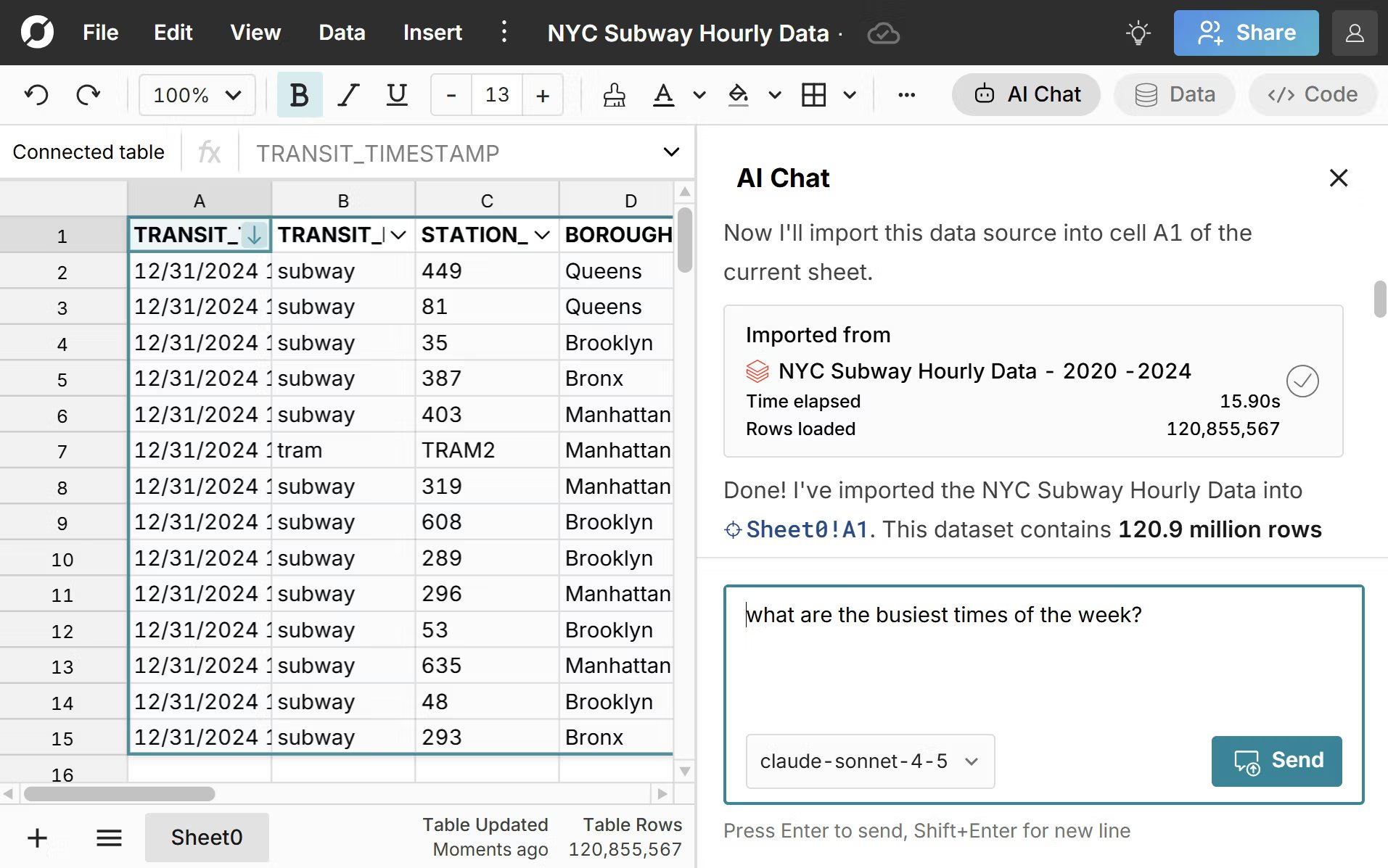
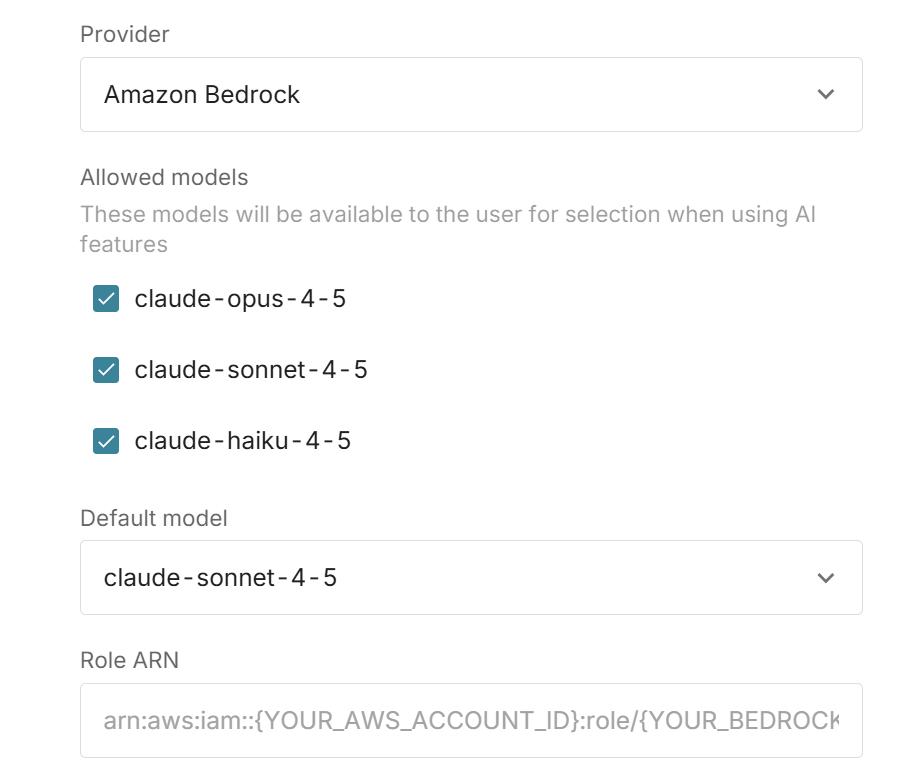
Free, Pro, and Business users get a weekly allocation of AI tokens and access to the latest models running on Amazon Bedrock.
Enterprise customers can “bring your own key” to connect workbooks to their AWS Bedrock, OpenAI, Anthropic, or Google Gemini account and work without daily limits.
Frequently asked questions
The “bring-your-own-key” AI spreadsheet assistant allows your organization to retain control over access to the inference provider. The AI runs in your already-vetted cloud services. You choose your model and provide an API key to connect spreadsheets to your AI infrastructure. Here’s how to setup an AI spreadsheet assistant for your organization.
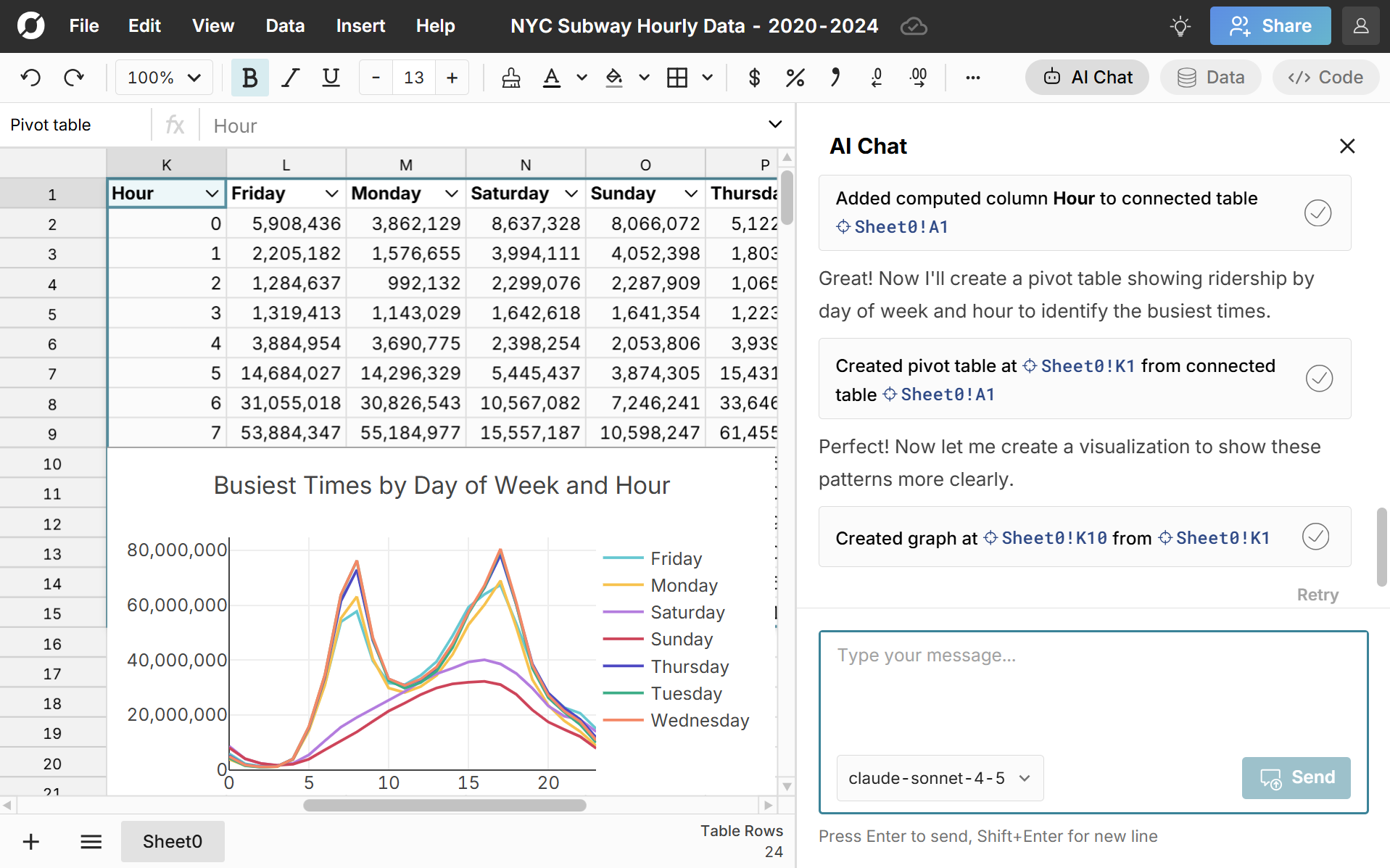
Yes, the AI spreadsheet assistant can create pivot tables, charts, and formulas to analyze your data. You can give it specific commands, like “Create a pivot table of revenue by month by region in cell A18”. You can also ask open-ended questions like “How is revenue trending this month vs last year?” and the AI assistant will use pivot tables, formulas, and charts to answer your prompt.
The AI chat provides a log of each step taken so you can easily audit AI analysis. You can also investigate all spreadsheet assets produced by the AI - the data, formulas, pivot tables, and charts used in the AI analysis are all available in the spreadsheet.
Yes, the AI chat can access any data sources that you have access to, so it can access any data sources you have created and any data sources that have been shared with you.
Row Zero is the best AI spreadsheet for big data. Row Zero works like Excel and Google Sheets but supports 1000x bigger data, connects to your data warehouse, and enforces modern cloud security. The AI spreadsheet assistant runs on your infrastructure and is network isolated for maximum security.